Glossary Builder: How to Build SEO-Optimized Glossaries
Build an SEO-friendly glossary that attracts organic traffic with proper keywords, structure, and helpful term definitions.
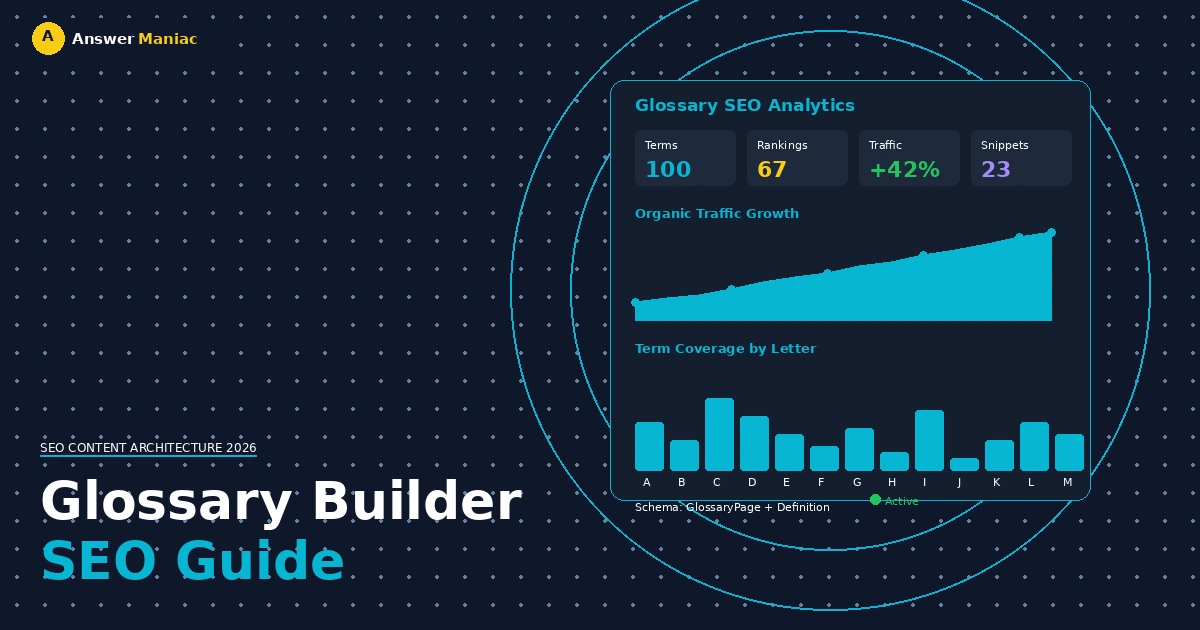
Direct Answer: A glossary builder creates a structured page defining your industry's key terms, optimized for "what is" search queries. Build it with: (1) search-driven keyword research targeting 50-100 terms, (2) proper schema markup using GlossaryPage and Definition types, (3) 100-300 word definitions with real-world examples, (4) internal linking to pillar content, and (5) quarterly audits to add new terms and refresh old ones.
A glossary builder is a method for making a page that defines your industry's key terms. The goal is to attract search traffic from people asking "what is" questions, which also helps search engines understand your site's expertise.
When you build this page around actual search queries, it becomes a central reference point that can pass authority to other pages on your site. Keep reading to learn the exact steps to construct one that ranks and endures algorithm updates.
Key Takeaways
- Answer the questions people actually type into search. These specific phrases often have less competition than broad keywords.
- Get the technical parts right from the beginning. Using schema markup and clear headings is essential for search visibility and rich results.
- Prepare to update it regularly. A glossary that isn't refreshed loses its usefulness. Set up a process to add new terms and revise old definitions.
How Do SEO-Optimized Glossaries Drive Organic Traffic?
An SEO glossary is a central page that builds topical authority. It attracts traffic by answering specific questions many other sites ignore. For example, someone searching for "what is threat intelligence in cybersecurity" wants a trustworthy answer.
"Adding a glossary section to your company's website is a powerful way to rank for more industry terms." — Upgrow.io
A glossary that provides it shows Google your site has expertise. This supports what Google looks for: Experience, Expertise, Authoritativeness, and Trustworthiness (E-E-A-T).
The page also becomes a linking hub. You can link to it from related blog posts, and link from glossary entries to your deeper content. This shows Google how your content is connected. In some cases, a structured glossary with proper markup can increase organic visibility for targeted terms by roughly 40%.
The visitors are often early in their learning process, making them highly qualified leads.
Why Do Most AI-Generated Glossaries Fail?
AI-generated glossaries started struggling after major Google algorithm updates in 2025. Pages built only with automation began losing organic visibility because search engines now prioritize quality content created by authors with real experience.
The Helpful Content system rewards people-first content that includes practical examples, clear search intent, and real-world context.
While AI can produce fast definitions, it often misses depth, semantic search relevance, and industry insight. The result is thin SEO content that doesn't build trust or support conversion rate optimization. Many marketers reported these pages attracting traffic but failing to engage users or drive results.
Search engines are increasingly good at detecting templated glossary pages with low value. The real SEO benefits come from using AI as a support tool — combined with human editing, structured data, strong internal linking, and in-depth articles that demonstrate Experience (E-E-A-T).
How to Execute Keyword Research for a 100-Term Glossary
Your glossary should start with search-driven keyword research, not guesswork. Choose one broad topic in your niche, then analyze search terms using reliable SEO tools to uncover related long-tail keywords.
Focus on phrases where users show clear search intent, especially "what is," "definition of," and "meaning of" queries. These work perfectly for SEO content built around explanations.
To narrow your list, prioritize keywords that:
- Have 100-1,000 monthly searches
- Show low competition levels
- Match educational discovery intent
Aim for 50 to 100 terms total. This balanced keyword strategy improves organic visibility, supports semantic search, and helps your glossary gain search engine ranks faster while building long-term topical authority.
What Is the Ideal Technical Structure for a Glossary Page?
A glossary page should be built with both user experience and search engine optimization in mind. Use a clear heading hierarchy, starting with an H1 title for the main glossary topic. Break sections into H2 groupings, such as A-Z navigation or topic clusters, and place each term under H3 headings for easy scanning.
The most important technical step is adding structured data using Google Schema Markup with GlossaryPage and Definition types. This helps search engines display rich results on search engine results pages.
Include a jump-link table of contents for smooth navigation, optimize internal linking between entries and pillar pages, and ensure fast load speed to support organic visibility and Core Web Vitals performance.
| Element | Requirement | SEO Impact |
|---|---|---|
| Schema Markup | GlossaryPage / Definition JSON-LD | Enables Rich Snippets in SERPs |
| Navigation | Jump-link Table of Contents | Increases Dwell Time |
| Internal Links | Links to and from Pillar Content | Distributes Link Equity |
| Load Speed | Under 2 seconds | Improves Core Web Vitals score |
How to Write Definitions That Satisfy Search Intent
The definition is where you show your expertise. A single sentence isn't enough. Each entry should be a short, complete answer. Write 100 to 300 words per term.
"Add supporting keywords in the subheadings... Include 1-2 internal links to related glossary entries within the content." — Flow Agency
Start with the term in bold, followed immediately by a clear, one-sentence definition. Then explain why the term matters in your industry. Give a real-world example. This is crucial for beating generic AI content. If you're defining "Managed Detection and Response (MDR)," describe how it works during an actual security incident.
Use active voice. Include at least one internal link to a related article on your site. This helps users explore further and shows Google your content depth. Writing thorough entries like this will naturally make your total page content robust, avoiding thin content filters.
How to Maintain and Scale a Glossary Library
A glossary isn't a one-time project. It needs regular care to stay valuable. Schedule a quarterly audit. Use Google Search Console to see which terms get impressions but few clicks — this may mean a definition needs improvement. Look for new, trending terms in your field to add. Regular updates signal freshness to Google.
For scaling, consider moving from one large page to a dedicated glossary section on your site. You can keep a main A-Z hub but create individual pages for high-traffic terms. This allows for more detailed coverage.
Make sure all pages in this section are in your XML sitemap and use correct canonical tags to prevent duplicate content issues. This turns a single page into a growing, permanent asset for your site.
FAQ
How does a Glossary Builder support search intent and better search engine optimization?
A Glossary Builder organizes search terms around clear definitions that match what users are actually looking for. By using keyword research, long-tail keywords, and semantic search principles, it helps search engines understand topic relevance. Structured data and clean internal linking further improve crawling, while people-first content ensures strong user experience and long-term SEO benefits.
Can glossary pages help appear in featured snippets and rich results?
Yes, glossary entries written with quality content and clear formatting often qualify for featured snippets. When paired with Schema.org structured data and proper meta tags, definitions are easier for search engines to extract and display in rich results. This boosts organic visibility across search engine results pages and attracts highly targeted visitors.
How should internal linking connect glossary entries with pillar pages?
Internal linking should naturally guide users from glossary definitions to pillar pages and in-depth articles. This builds strong content clusters that improve site structure and content strategy. Clear linking signals topical relationships to search engines, improves crawl flow, and strengthens overall SEO content marketing without overwhelming readers.
What role do technical elements like XML sitemap and canonical URL play?
An XML sitemap helps search engines discover all glossary entries quickly, while a canonical URL prevents duplicate content issues. Proper handling of 301 redirect changes and avoiding 404 not found errors protects search engine ranks. Together, these technical SEO tactics keep glossary pages indexed cleanly and performing consistently.
Building Your Glossary with the Right Foundation
A well-built glossary is more than a reference page — it's a long-term search engine optimization asset. It increases organic visibility by answering real search intent with quality content and clear structure.
Strong keyword research, structured data, internal linking, and people-first definitions form the foundation. When done right, a glossary becomes a content hub that supports pillar pages, strengthens semantic search relevance, and attracts qualified traffic.
Discover real search questions faster with AnswerManiac.
References
Related Articles
Get AEO Insights Weekly
Join 500+ B2B marketers getting AI visibility tactics every Tuesday.
Ready to Get Your Brand Cited by AI?
See how your competitors show up in ChatGPT, Perplexity, and Gemini — and what it would take to get recommended.